
SICK S30A-7011CA Safety Scanner | S3000 19m 190°

Introduction:
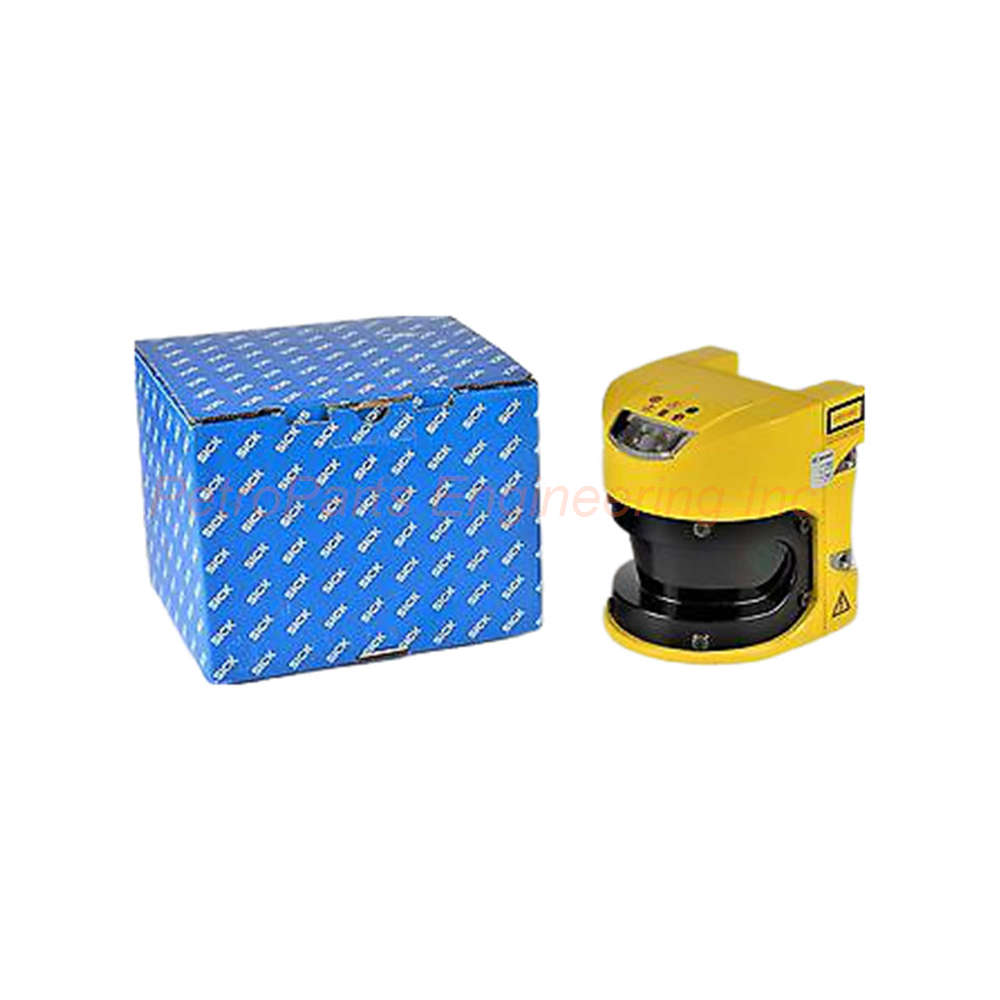
The SICK S30A-7011CA S3000 Advanced safety laser scanner offers 19m range. Features 190° scanning angle, 30mm resolution, and IP65 protection.
 Customer Reviews
UBEST Automation – Trusted Global Automation Parts Supplier
We offer a wide range of in-stock industrial automation spare parts. All products come with a 12-month warranty and a 30-day refund for quality issues.
Product Attributes:
Notice: For real-time prices and inventory, please click the button below to contact us.
SICK S30A-7011CA S3000 Advanced Safety Laser Scanner
The SICK S30A-7011CA is a safety laser scanner from the S3000 Advanced series. This unit provides both protected and warning field monitoring capabilities. Specifically, the S30A-7011CA offers a protected field range of 7 meters. For warning purposes, the range extends to 49 meters. The scanning angle covers 190 degrees for wide area protection. Engineers use this scanner for mobile equipment safety and stationary machine guarding.
Core Performance Specifications
The SICK S30A-7011CA measures distances from 0 to 19 meters reliably. Resolution adjusts from 30 to 150 mm based on your application needs. The response time reaches 60 ms depending on basic response time and multiple sampling. This fast response suits mobile machinery and high-speed applications. Four field sets can be active simultaneously on this device. In total, the scanner supports up to 12 different fields for complex protection zones.
Electrical and Output Characteristics
Regarding power requirements, the operating voltage range spans 16.8 to 28.8 V DC. The nominal operating voltage is 24 V DC for standard applications. The output type consists of 2 PNP semiconductors for safety signals. These outputs are short-circuit protected for reliable operation. Additionally, the outputs feature cross-circuit monitoring for fault detection. Always connect these outputs to a safety-rated controller for proper function.
Mechanical Construction and Protection
The housing material uses aluminum die cast for rugged durability. This construction withstands harsh industrial environments effectively. The IP rating reaches IP65 for dust and water jet protection. Shock resistance measures 16 g at 16 ms per IEC 60068-2-29. Therefore, this scanner suits mobile equipment exposed to vibration and shock. The unit weighs 3.3 kg for stable mounting without excessive mass.
Connection Type and Interface
The connection type uses a system plug with or without connecting cable. The S30A-7011CA includes a male M12 5-pin connector for power and signals. This standard connector simplifies field wiring and replacement. Use shielded cables for optimal electrical noise immunity. Keep cable runs as short as practical for best signal quality.
Field Monitoring Capabilities
Understanding the field monitoring helps with proper configuration. The 7 meter protected field triggers a safety stop when violated. Meanwhile, the 49 meter warning field alerts operators without stopping the machine. Four fields can be monitored at the same time for complex zones. Each field set contains multiple individual fields as needed. This flexibility allows dynamic field switching based on machine state.
Resolution and Scanning Angle Details
The resolution starts at 30 mm for high precision detection. For less critical areas, resolution extends to 150 mm to reduce false trips. The scanning angle spans 190 degrees from the scanner front. This wide angle covers large areas with a single device. Multiple scanners can overlap coverage for complete protection.
Manufacturer and Ordering Information
The brand is SICK with manufacturer part number S30A-7011CA. The alternate manufacturer part number is 1023891 for cross-referencing. Always use this number when searching for replacement units. The housing material and IP rating ensure long service life. Order the correct cable separately based on your distance requirements.
Step-by-Step Installation Guide
Follow these steps to install your SICK S30A-7011CA correctly.
Step 1: Select the Mounting Location
First, choose a location with a clear 190° view of the protection zone. Mount the scanner at the recommended height for your application. Avoid mounting near reflective surfaces that cause false detections. Then, ensure the mounting surface can support the 3.3 kg weight.
Step 2: Mount the Scanner Securely
Next, attach the S30A-7011CA using M4 or M5 mounting bolts. Use the four mounting holes on the aluminum housing. Tighten bolts to the specified torque value. Do not overtighten or damage the die-cast housing.
Step 3: Connect Power and Outputs
After mounting, connect the M12 5-pin male connector to the scanner. Wire the 24 V DC power supply to the appropriate pins. Then, connect the two PNP semiconductor outputs to your safety controller. Verify short-circuit protection before applying power.
Step 4: Configure the Protection Fields
Now, use the SICK configuration software (SOPAS ET) to set up fields. Define the 7 meter protected field for safety stop activation. Define the 49 meter warning field for alert functions. Configure the response time and resolution for your application.
Step 5: Test the Safety Functions
Apply power to the S30A-7011CA and observe the LED indicators. Walk slowly into the protected field to trigger the safety outputs. Verify the machine stops within the required stopping time. Then, test the warning field without stopping the machine. Document all test results for your safety records.
Step 6: Perform Regular Checks
Finally, schedule regular cleaning of the scanner window. Use a soft cloth to remove dust and debris. Perform a functional test at least once per shift. Replace the scanner if any fault indications appear.
Complete Package Contents
Your SICK S30A-7011CA 1023891 shipment includes the following items:
SICK S30A-7011CA Safety Laser Scanner (1 unit)
M12 5-pin male connector system plug
Mounting instructions and quick start guide
Configuration software download card (SOPAS ET)
Protective cap for unused connector ports
Note: Shipping partners include FedEx, UPS, and DHL.
Frequently Asked Questions (FAQ)
Q1: What is the difference between protected and warning fields on the S30A-7011CA?
The protected field (7m) triggers a safety stop when violated on the S30A-7011CA. The warning field (49m) only alerts operators without stopping the machine. Both fields can operate simultaneously for graduated response.
Q2: Can the SICK S30A-7011CA be used outdoors?
The S30A-7011CA has IP65 rating for dust and water jets. However, direct sunlight may affect measurement accuracy. Use an external sunshade for outdoor applications when possible.
Q3: What is the minimum resolution of this safety laser scanner?
The S30A-7011CA offers a minimum resolution of 30 mm for high precision detection. You can increase resolution up to 150 mm for less critical zones. Higher resolution provides better detection but may increase false trips.
Q4: How many field sets can the S3000 Advanced monitor simultaneously?
The S30A-7011CA can monitor up to 4 field sets at the same time. Each field set can contain multiple individual fields. The total number of fields available is 12 across all field sets.
Q5: What happens if the scanner window gets dirty?
A dirty window reduces the effective range of the SICK S30A-7011CA. The scanner will detect contamination and show a warning indication. Clean the window with a soft cloth immediately to restore full performance.