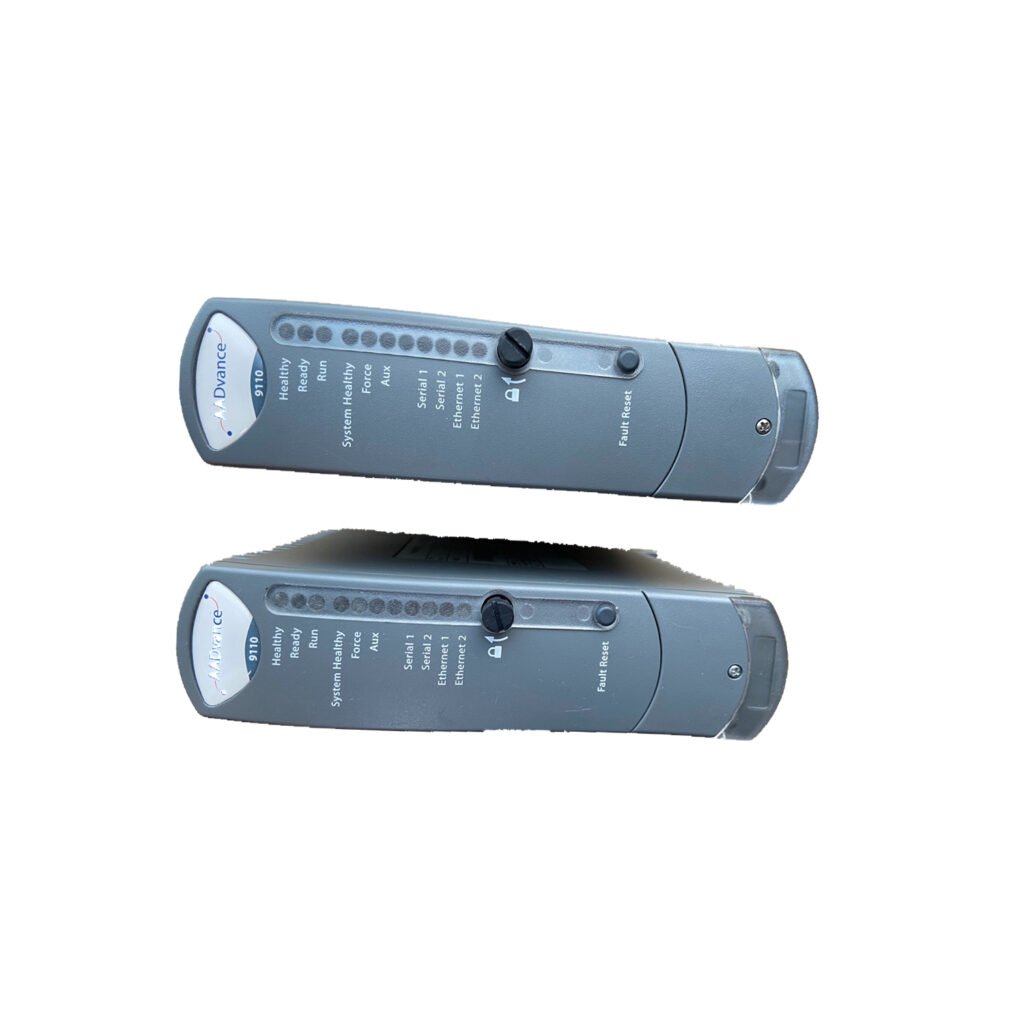
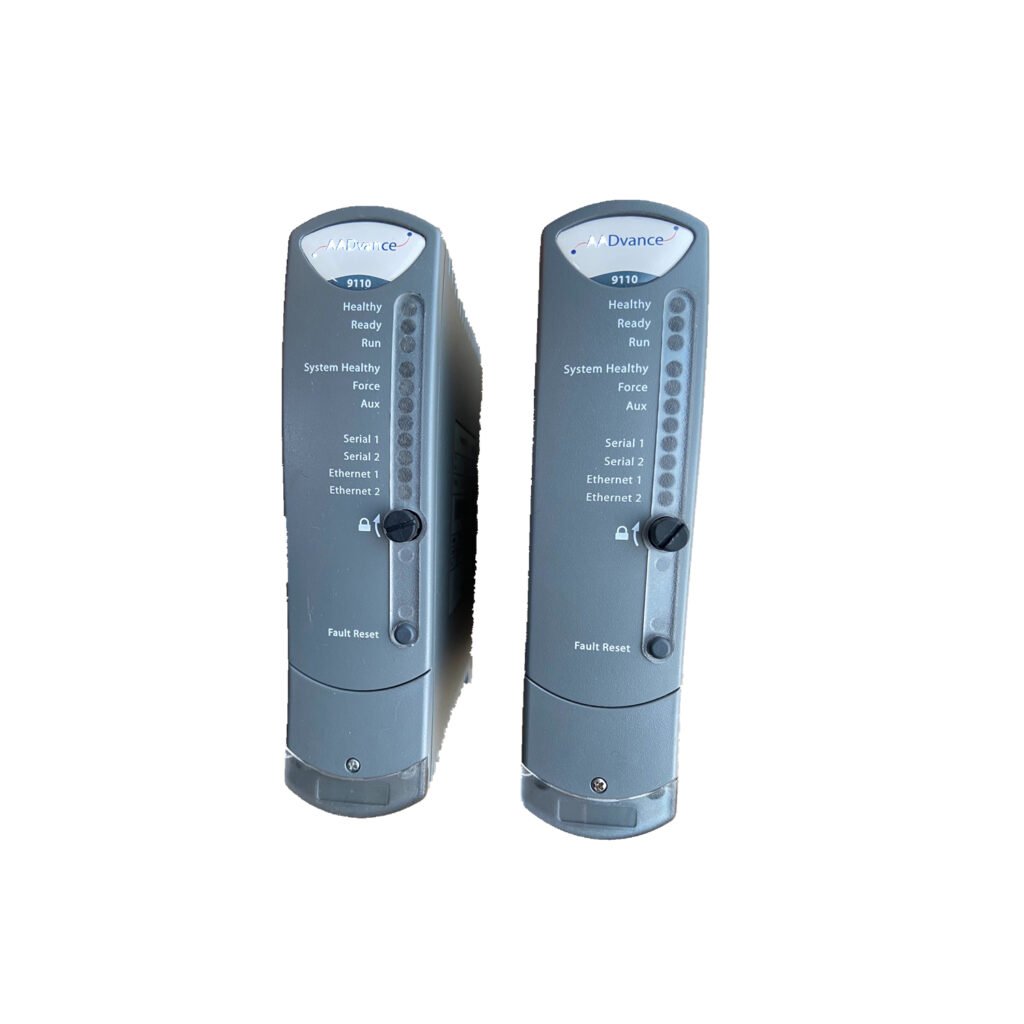
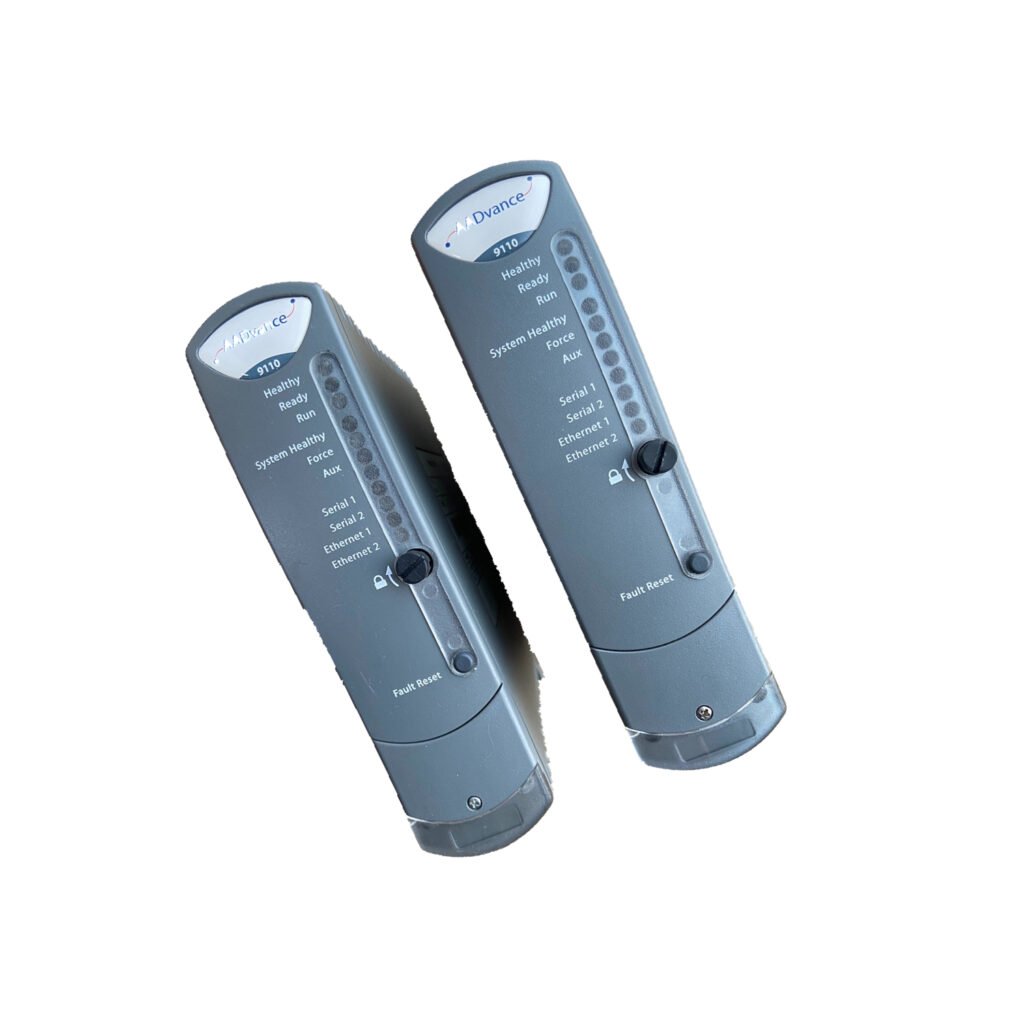
The Allen-Bradley T9110 is a high-performance Processor Module engineered for critical industrial control systems, delivering reliable operation and comprehensive status monitoring. It features a compact design with a gross weight of 430g, making it easy to install and handle in industrial control cabinets. The T9110 operates with a back-plane voltage range of 18-32Vdc, a maximum current of 380mA, and a power consumption of 8.0W (27.3 BTU/hr.), with a heat dissipation of 8.0W, ensuring stable performance even in high-temperature environments (surrounding air temperature up to 60°C).
Equipped with multiple status indicators (Ready, Run, System Healthy, Force, Aux, Serial 1&2, Ethernet 1&2, Healthy), the T9110 provides real-time visibility into module operation, enabling quick fault identification and troubleshooting. It supports easy installation, battery replacement, and manual real-time clock (RTC) configuration, making it a practical and reliable choice for industrial applications such as oil & gas, petrochemical, and power generation.
Technical Specifications
Power Supply and Back-plane Specifications
The Allen-Bradley T9110 features a stable back-plane electrical design to support reliable industrial operation. Its back-plane voltage range is 18-32Vdc, with a maximum current of 380mA, ensuring compatibility with most industrial power systems. The module has a power consumption of 8.0W, which is equivalent to 27.3 BTU/hr., and a heat dissipation of 8.0W, requiring proper ventilation to maintain optimal performance.
The T9110 is designed to operate in surrounding air temperatures up to 60°C, making it suitable for use in harsh industrial environments where temperature conditions may be extreme. Its low power consumption and efficient heat dissipation contribute to long-term reliability and reduced maintenance costs.
Battery Specifications
The T9110 Processor Module uses a back-up battery to ensure data retention and continuous operation in case of power interruptions. The recommended battery is the Rockwell Automation Part No. T9905, a Polycarbon monofluoride Lithium Coin Battery (BR2032) supplied by Panasonic. This battery has a diameter of 20mm, a nominal voltage of 3V, a nominal capacity of 190mAh, a continuous standard load of 0.03mA, and an operating temperature range of -30°C to +80°C, ensuring reliable back-up power in diverse environments.
Physical Specifications
The T9110 has a compact and robust design tailored for industrial use, with a gross weight of 430g, making it lightweight and easy to install in control cabinets. Its dimensions are optimized to fit standard processor base units, ensuring compatibility with existing Allen-Bradley control systems. The module features coding pegs and a locking screw for secure installation, preventing vibration-related issues and ensuring a stable connection to the base unit.
Status Indicators (Detailed Description)
The Allen-Bradley T9110 is equipped with multiple status indicators to provide real-time information about module operation, fault conditions, and system status. Each indicator has distinct states that help operators quickly monitor and troubleshoot the module, as detailed below:
1. Ready Indicator
OFF: No power or the module is in Recovery Mode (versions 1.020.x and after with Update of I/O modules feature enabled).
RED: The module is booting up (10 to 20 seconds), not educated or synchronized with partners, or in the shutdown state.
Flashing GREEN: The module is being educated or synchronized.
GREEN: The module is educated and synchronized with partners.
AMBER: The module is in Recovery Mode (versions before 1.020.x).
2. Run Indicator
OFF: No power, stays off while the module is booting up (10 to 20 seconds), or in Recovery Mode (versions before 1.020.x).
RED: The module is not educated/synchronized, no application loaded, in Recovery Mode with base level firmware running, or in the shutdown state.
GREEN: The module contains an application and it is running.
AMBER: The module is in Recovery Mode (versions before 1.020.x).
3. System Healthy Indicator
OFF: No power, stays off while the module is booting up (10 to 20 seconds).
RED: There is a fault on one or more modules, or the application has stopped because the module entered Recovery Mode.
GREEN: No system or module faults present, or the system is in Recovery Mode.
4. Force Indicator
OFF: No power, stays off while the module is booting up (10 to 20 seconds).
GREEN: No variables are being locked/forced.
AMBER: The module is in Recovery Mode, or an operating controller has at least one variable being locked/forced.
5. Aux Indicator
OFF: No power, stays off while the module is booting up (10 to 20 seconds), or under application control.
GREEN: The module is under application control.
AMBER: The module is under application control, or the module is in Recovery Mode.
6. Serial 1 and Serial 2 Indicators
OFF: No power, stays off while the module is booting up (10 to 20 seconds).
RED: Serial port pulse stretched Tx (transmit).
GREEN: Serial port pulse stretched Rx (receive).
AMBER: Quickly alternating Tx and Rx activity.
7. Ethernet 1 and Ethernet 2 Indicators
OFF: No power, stays off while the module is booting up (10 to 20 seconds).
GREEN: Ethernet link present.
AMBER: Tx or Rx activity on the Ethernet Port.
8. Healthy Indicator
OFF: No power.
RED: Flashes RED briefly after being installed as the module is booting up; Continuous RED means the module has a fault.
GREEN: As the module boots up it goes GREEN (lasts 10 to 20 seconds); When the module is operational, the LED stays GREEN; When in Recovery Mode with no faults, the LED is GREEN.
Fault Indications for Healthy Indicator
If Healthy is GREEN and all other indicators are OFF, the module has failed to boot up.
If Healthy is GREEN and Ready and Run are RED, the module is in its shutdown state.
Installation Guide
Pre-Installation Preparation
Before installing the Allen-Bradley T9110 Processor Module, complete the following preparation steps to ensure safe and proper installation. First, examine the module for any physical damage, as damaged modules may not operate correctly. The identification labels on the sides of the module will be hidden after installation, so make a record of the module’s location and the details on the label before proceeding.
If installing more than one T9110 processor module, ensure all modules have the same firmware build to maintain compatibility and synchronized operation. Prepare the required tools, including a broad (9mm) flat blade screwdriver, anti-static wristband, and cleaning cloth to facilitate the installation process.
Step-by-Step Installation
1. Examine the coding pegs on the T9100 processor base unit and ensure they complement the sockets on the rear of the T9110 module. This ensures proper alignment and prevents incorrect installation.
2. Place the T9110 module onto the coding pegs, ensuring the slot on the head of the module locking screw is vertical. Push the module home firmly until the connectors are fully mated with the base unit.
3. Using a broad (9mm) flat blade screwdriver, turn the module locking screw clockwise to lock the module in place. Ensure the screw is tightened securely to prevent vibration-related issues during operation.
Replacing the Faulty Processor Back-up Battery
To replace the back-up battery of the T9110 Processor Module, use the official Rockwell Automation battery (Part No. T9905) or an equivalent specification battery. The T9905 is a Polycarbon monofluoride Lithium Coin Battery (BR2032) supplied by Panasonic, with a 20mm diameter, 3V nominal voltage, 190mAh nominal capacity, 0.03mA continuous standard load, and -30°C to +80°C operating temperature.
Before replacing the battery, power off the module and disconnect it from the power source to prevent electrical shock. Carefully remove the old battery and insert the new battery in the correct orientation, ensuring a secure connection. Power on the module after replacement to verify the battery is functioning properly.
Setting the Real Time Clock (RTC) Manually
If the system has only one controller and no separate time server, you must set the T9110 processor’s real-time clock manually using RTC variables. Follow these steps to configure the RTC:
1. Set up the following variables in the Dictionary RTC Control Rack Variables (all BOOLEAN Outputs): RTC Control: RTC_Read, RTC Control: RTC_Write, RTC Control: Year, RTC Control: Month, RTC Control: Day of Month, RTC Control: Hours, RTC Control: Minutes, RTC Control: Seconds, RTC Control: Milliseconds.
2. Configure the RTC Status Variables (All Word Inputs): RTC Status: Year, RTC Status: Month, RTC Status: Day of Month, RTC Status: Hours, RTC Status: Minutes, RTC Status: Seconds, RTC Status: Milliseconds.
3. Set the RTC Program Rack Variables: RTC Program: Year, RTC Program: Month, RTC Program: Day of Month, RTC Program: Hours, RTC Program: Minutes, RTC Program: Seconds, RTC Program: Milliseconds.
After configuring these variables, verify the RTC is set correctly by checking the status variables and ensuring the time is accurate.
Packing List
The packing list for the Allen-Bradley T9110 Processor Module includes the following items:
1 × Allen-Bradley T9110 Processor Module
1 × Installation Manual (English version)
1 × T9905 Back-up Battery (BR2032)
Mounting Screws (2 pieces)
Anti-static Packaging Bag
Product Datasheet
Shipping is available via FedEx, UPS, or DHL, ensuring fast and reliable delivery to your location.
Frequently Asked Questions (FAQs)
1. What is the back-plane voltage range of the Allen-Bradley T9110 Processor Module?
The T9110 has a back-plane voltage range of 18-32Vdc, with a maximum current of 380mA, ensuring compatibility with most industrial power systems.
2. What type of battery does the T9110 use, and what are its specifications?
The T9110 uses Rockwell Automation Part No. T9905 (BR2032) battery, a 3V lithium coin battery with 190mAh capacity, 0.03mA continuous load, and -30°C to +80°C operating temperature.
3. What does a continuous RED Healthy LED on the T9110 indicate?
A continuous RED Healthy LED indicates that the T9110 module has a fault. If the Healthy LED is GREEN and all other indicators are OFF, the module has failed to boot up.
How do I install the T9110 Processor Module onto the T9100 base unit?
Align the module with the coding pegs on the T9100 base unit, push it home until connectors mate, then turn the locking screw clockwise with a 9mm flat blade screwdriver to secure it.
5. When do I need to set the RTC manually on the T9110?
You need to set the RTC manually if the system has only one controller and does not have a separate time server, using the RTC Control, Status, and Program variables in the Dictionary.

 Customer Reviews