
Mitsubishi GS2110-WTBD | 10-Inch GOT SIMPLE Graphic Terminal

Introduction:
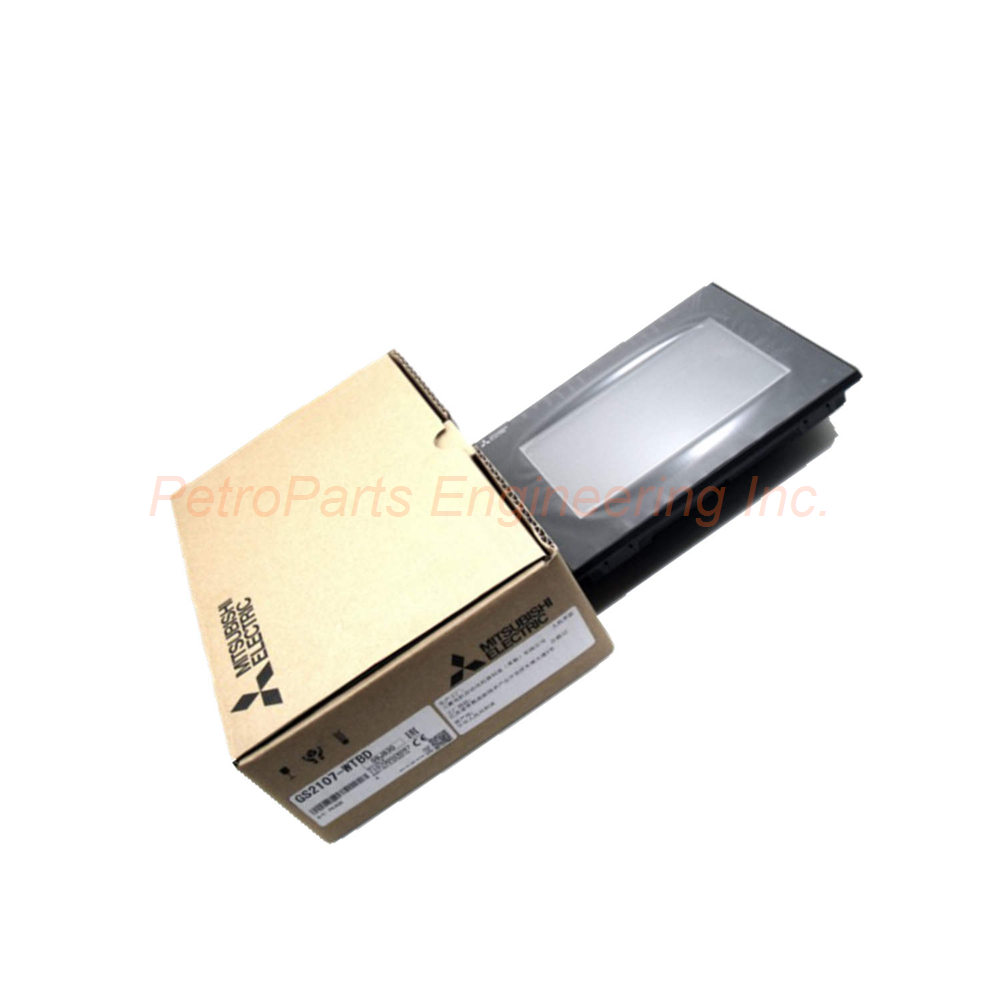
Mitsubishi GS2110-WTBD 10-inch GOT SIMPLE series terminal. 800x480 resolution, Ethernet, IP65F, 24VDC operation.
 Customer Reviews
UBEST Automation – Trusted Global Automation Parts Supplier
We offer a wide range of in-stock industrial automation spare parts. All products come with a 12-month warranty and a 30-day refund for quality issues.
Product Attributes:
Notice: For real-time prices and inventory, please click the button below to contact us.
Mitsubishi GS2110-WTBD – 10-Inch GOT SIMPLE Graphic Operation Terminal
The Mitsubishi GS2110-WTBD belongs to the GOT SIMPLE series. This unit functions as a reliable Graphic Operation Terminal (GOT). It operates on a 24 VDC power supply. The maximum ripple voltage rating is 200 mV or less. Power consumption reaches 7.6 W maximum (317 mA at 24V). The Mitsubishi GS2110-WTBD features a 10-inch TFT color liquid crystal display. Screen resolution measures 800 x 480 dots. The display supports 65536 colors for vivid graphics. A 32-level brightness adjustment fine-tunes the LED backlight. This HMI delivers strong performance for factory automation.
Full Technical Specifications
Display Parameters
Display Type: TFT color liquid crystal.
Screen Size: 10 inches diagonal.
Display Resolution: 800 x 480 dots.
Display Area (W x H): 222 x 132.5 mm.
Display Colors: 65536 colors.
Brightness Adjustment: 32 adjustable levels.
Backlight Type: LED type for long life.
Character Display: 16-dot standard font.
Text Capacity: 50 characters x 30 lines horizontal.
The Mitsubishi GS2110-WTBD offers clear visibility in various lighting conditions.
Electrical Specifications
Input Power Supply: 24 VDC nominal.
Ripple Voltage: 200 mV or less.
Power Consumption: 7.6 W (317 mA at 24V) maximum.
Inrush Current: 17A or less for 6 ms duration.
Test Condition: At 25°C with maximum load.
Flash Memory: 9 MB for application storage.
Physical & Environmental
External Dimensions (W x H x D): 272 x 214 x 56 mm.
Weight: 1.3 kg (without fittings).
Gross Weight with Packaging: 1.84 kg.
Protective Structure: IP65F (front panel only).
Touch Panel Type: Analog-resistive film type.
Minimum Key Size: 2 x 2 dots per touch key.
Buzzer Output: Supported for audio feedback.
The Mitsubishi GS2110-WTBD withstands dust and water jets from the front.
Built-In Interfaces
RS-422: For long-distance communication.
RS-232: For legacy device connections.
Ethernet: For network integration.
USB Port: For easy data transfer.
SD Card Slot: For memory expansion and logging.
Installation Guide
Mount the Mitsubishi GS2110-WTBD on a flat panel first. Cut a panel opening according to the dimension drawing. Insert the terminal from the front of the panel. Secure it using the provided mounting brackets. Tighten the brackets evenly to ensure a proper seal. Connect 24 VDC power to the designated terminals. Verify the ripple voltage stays below 200 mV. Connect your PLC or controller via RS-422, RS-232, or Ethernet. Insert an SD card for data logging if needed. Power on the unit and calibrate the touch panel. The IP65F protection requires a properly sealed panel cutout.
Packaging List
One Mitsubishi GS2110-WTBD Graphic Operation Terminal
One set of mounting brackets
One power connector plug
One communication connector set (RS-422/RS-232)
One USB protective cap
One quick start guide sheet
Common FAQs
Q1: What software does the Mitsubishi GS2110-WTBD use for programming?
A: This terminal uses GT Works3 software. You can create projects on a Windows PC. Download them via Ethernet or USB.
Q2: Can I connect the GS2110-WTBD to a Mitsubishi PLC directly?
A: Yes, directly connect via RS-422 or Ethernet. The terminal supports native Mitsubishi communication protocols. No additional converter is needed.
Q3: How much memory does the Mitsubishi GS2110-WTBD provide?
A: It provides 9 MB of flash memory. This space stores screen data, fonts, and user applications. Most mid-size projects fit comfortably.
Q4: Is the front panel resistant to water and dust?
A: Yes, the front panel has an IP65F rating. It resists low-pressure water jets and dust ingress. The rear side does not share this rating.
Q5: What is the lifespan of the LED backlight on this HMI?
A: The LED backlight lasts approximately 50,000 hours. This depends on ambient temperature and brightness settings. You can adjust brightness across 32 levels.
Welcome to learn about our business. We are a leading global provider of automation equipment and will provide you with complete and cost-effective product solutions. You are welcome to choose us, and our services will make you a long-term partner like our other customers.
Now please let us know your needs and suggestions.
About Ubest
Ubest Automation is a leading global provider of automation products, with deep partnerships with major automation manufacturers to provide customers with customized business solutions, cost-effective products, and comprehensive services.
Product Center
Contact Us
Phone:+86 180 3000 5825
Address:Room 7A, No. 59 Hubin North Road, Siming District Xiamen City China
Email: [email protected]
Contact: Klaus
Industry Links
© 2026, Ubest Automation Limited All Rights Reserved. sitemap