T9110 Fault-Tolerant PLC Processor Module 18–32V DC
Introduction:
The T9110 is a high‑reliability processor module for Triconex TMR safety systems. It supports 18–32V DC power, clear LED status indicators, and safe real‑time control. The module ensures synchronization and fault tolerance in critical industrial applications.
 Customer Reviews
UBEST Automation – Trusted Global Automation Parts Supplier
We offer a wide range of in-stock industrial automation spare parts. All products come with a 12-month warranty and a 30-day refund for quality issues.
Product Attributes:
Notice: For real-time prices and inventory, please click the button below to contact us.
The T9110 processor module serves as the core of Triconex fault‑tolerant control systems.
It delivers stable computing power for safety‑related tasks in oil, gas, and process industries.
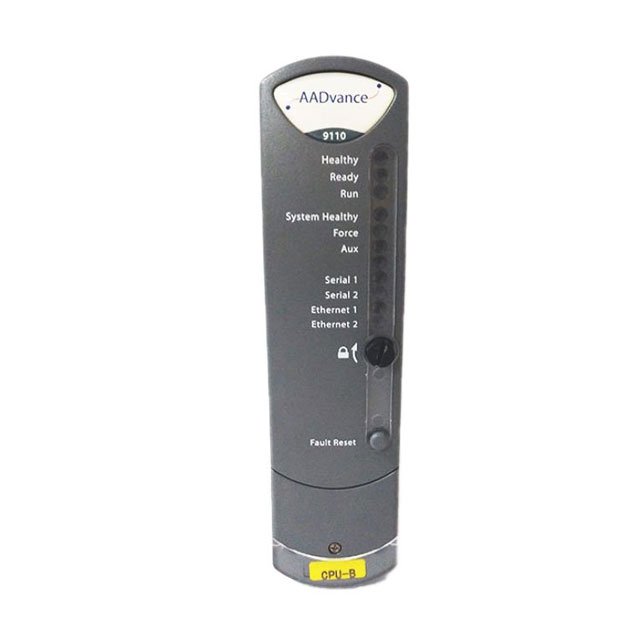
Multiple LED indicators show real‑time operating status and system health at a glance.
This module works in a redundant setup to maintain operation even during component faults.
It uses a robust backplane connection to communicate with I/O and other system modules.
The T9110 supports manual RTC configuration for systems without external time servers.
A dedicated backup battery preserves critical settings and clock data during power loss.
Its compact design fits standard chassis and supports high‑density safety system layouts.
Technical Specifications
The T9110 operates from a 18–32V DC backplane voltage range for industrial compatibility.
Maximum backplane current draw is 380 mA under full operational load conditions.
Power consumption totals 8.0 W with heat dissipation of 27.3 BTU per hour.
Maximum surrounding air temperature for safe operation is rated at 60 °C.
The module includes dual Ethernet ports for fast and reliable network communication.
Two serial ports support extended connectivity with field devices and external systems.
Status LEDs include Ready, Run, System Healthy, Force, Aux, Serial, and Ethernet indicators.
Each LED uses color and flash patterns to signal power, boot, fault, and active states.
The T9110 requires matching firmware versions when used in multi‑processor setups.
It uses a T9905 BR2032 lithium battery for real‑time clock and configuration backup.
Battery specifications include 3V nominal voltage and a -30°C to +80°C temperature range.
LED Status Indicators
The Ready LED shows power, boot, synchronization, and recovery mode conditions.
A red Ready LED means the module is booting or not synchronized with partner units.
A steady green Ready LED confirms the module is educated and fully synchronized.
The Run LED lights green when an application is loaded and running properly.
A red Run LED indicates no application, recovery mode, or shutdown state.
System Healthy LED turns green with no faults and red when system errors appear.
The Force LED shows amber if any variable is locked or forced during operation.
Aux LED reflects application control status or recovery mode activation.
Serial 1/2 LEDs use red, green, and amber for Tx and Rx activity indication.
Ethernet 1/2 LEDs show green for link and amber for transmit or receive activity.
The main Healthy LED lights green during normal operation and red for module faults.
Installation Guide
Inspect the T9110 module for physical damage before beginning installation.
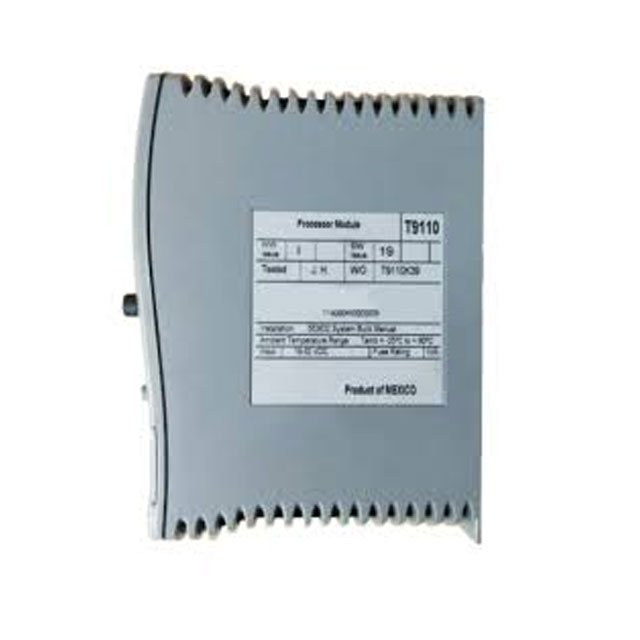
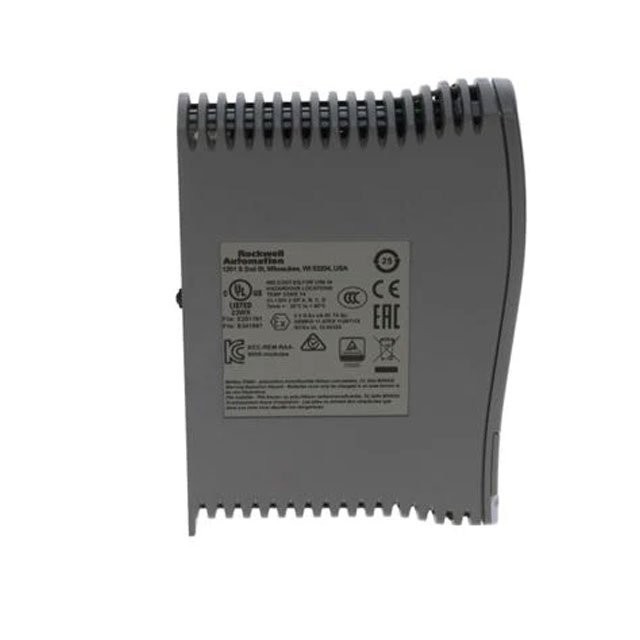
Record label details early because labels become hidden after chassis installation.
Confirm all processors use identical firmware builds in multi‑module configurations.
Check coding pegs on the T9100 base unit match sockets on the module rear.
Place the module onto coding pegs with the locking screw slot in a vertical position.
Push the module firmly inward until backplane connectors fully seat and mate.
Use a 9mm flat screwdriver to turn the locking screw clockwise and secure the module.
For battery replacement, use only T9905 BR2032 or equivalent lithium coin cells.
Set the real‑time clock manually via RTC variables if no external time server exists.
Define RTC control, status, and program variables in the system dictionary before use.
Packing List
- 1 × Triconex T9110 Processor Module
- 1 × Installation and Configuration Document
- Anti‑static protective bag
- Product identification label
Frequently Asked Questions
1. What voltage does the T9110 module require?
2. What does a green Ready LED indicate?
3. What battery supports the T9110 real-time clock?
4. What is the maximum operating temperature of T9110?
5. How should you install multiple T9110 processors?
About Ubest
Ubest Automation is a leading global provider of automation products, with deep partnerships with major automation manufacturers to provide customers with customized business solutions, cost-effective products, and comprehensive services.
Product Center
Contact Us
Phone:+86 180 3000 5825
Address:Room 7A, No. 59 Hubin North Road, Siming District Xiamen City China
Email: sales@ubestplc.com
Contact: Klaus
Scan the QR code