
IC695PSD140 PACSystem RX3i Power Supply Load Sharing Redundancy
Introduction:
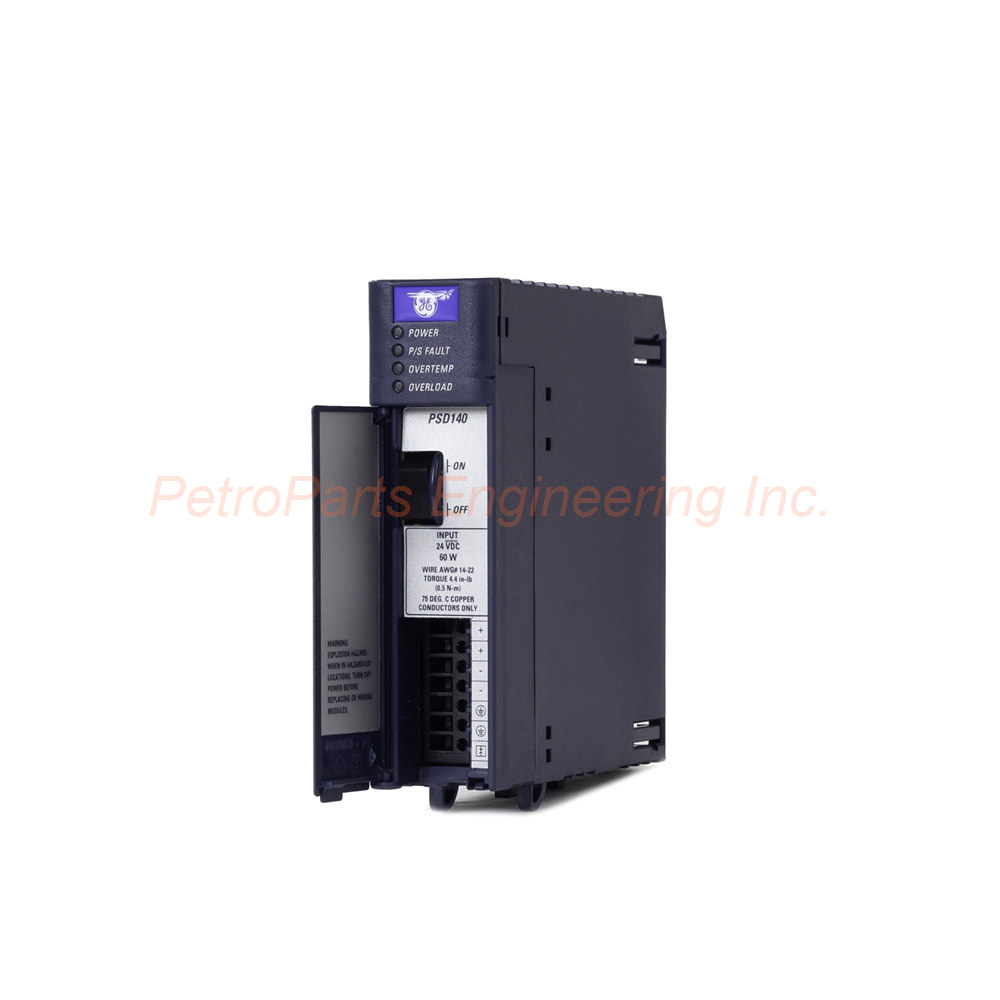
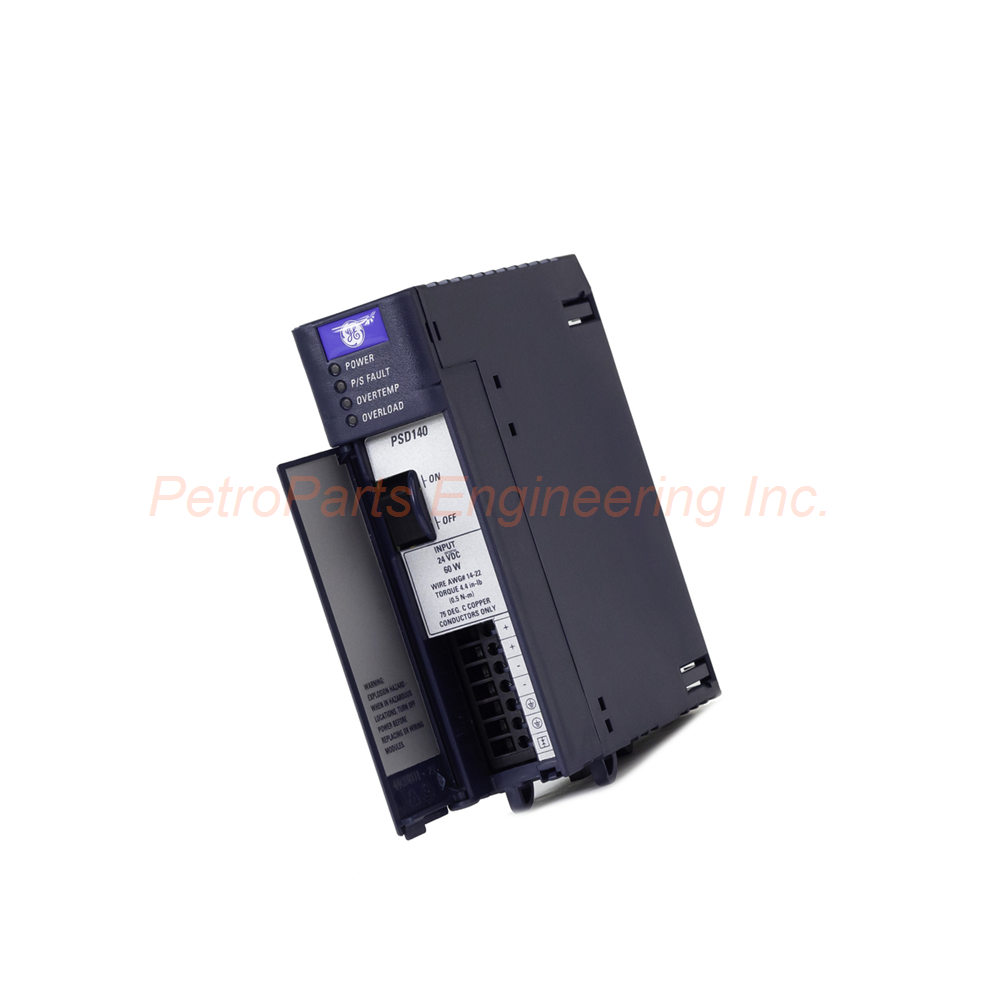
The IC695PSD140 is a power supply module for the PACSystem RX3i platform from Emerson (formerly GE Fanuc). It accepts 18-30 VDC input and delivers 40W total output. This module supports load sharing and redundancy applications.
 Customer Reviews
UBEST Automation – Trusted Global Automation Parts Supplier
We offer a wide range of in-stock industrial automation spare parts. All products come with a 12-month warranty and a 30-day refund for quality issues.
Product Attributes:
Notice: For real-time prices and inventory, please click the button below to contact us.
Product Overview
The IC695PSD140 belongs to the PACSystem RX3i Series. Its product type is a Power Supply Module. The product classification is Power Supplies. The current price for this item is ¥4,280 RMB, and the product gross weight is 0.95 kg.
Emerson Automation manufactures this power supply module (formerly under GE Intelligent Platforms). The IC695PSD140 is a DC power supply designed for an input voltage range of 18-30 VDC . Maximum input power reaches 60 Watts at full load . The module occupies one slot in the RX3i universal backplane. Furthermore, users can install up to four such modules in a single backplane for redundancy or increased capacity. Therefore, this power supply suits critical applications requiring high availability.
Technical Specifications
Input Voltage and Power
The input voltage range spans 18 to 30 VDC . Maximum input power reaches 60 Watts at full load . The nominal rated voltage is 24 VDC (with 18-30 VDC range). This DC input design suits battery-backed systems and DC-powered industrial environments.
Output Specifications
The IC695PSD140 provides three distinct DC outputs. The 24 VDC output ranges from 19.2 to 28.8 VDC with 0 to 1.6 Amps capacity. The 5.1 VDC output ranges from 5.0 to 5.2 VDC (5.1 VDC nominal) with 0 to 6 Amps capacity. The 3.3 VDC output ranges from 3.1 to 3.5 VDC (3.3 VDC nominal) with 0 to 9 Amps capacity. Total output power reaches 40 Watts maximum . The 5.1 VDC output provides up to 30 Watts , while the 3.3 VDC output also provides up to 30 Watts .
Ripple and Noise
The output ripple measures 150 mV . Similarly, the output noise measures 150 mV . These values indicate clean DC power suitable for sensitive electronic loads. For applications requiring lower ripple, consider additional filtering.
LED Indicators
The module features four LED indicators for status monitoring. The Power LED (green/amber) indicates normal operation or standby. The P/S Fault LED (red) lights when a fault condition occurs. The Overtemperature LED (amber) warns of excessive internal temperature. The Overload LED (red) indicates output current exceeds rated capacity.
Load Sharing and Redundancy
The IC695PSD140 supports load sharing and redundancy applications . Users can install up to four power supplies in a single RX3i universal backplane. For load sharing configurations, all power supplies must connect to the same power source . Additionally, the On/Off switch on the front panel must not be turned off inadvertently. The minimum number of power supplies must remain on to qualify the system.
Power Ride-Through
The ride-through time measures 20 ms . This specification refers to the power supply's capability to maintain output despite input line interruptions. Therefore, brief input power dips will not disrupt system operation.
Terminal Specifications
For wiring connections, the recommended wire size ranges from #14 to #22 AWG . Each input terminal can accommodate a maximum current of 6 Amps . Use appropriate wire gauges for the expected load.
Daisy-Chain Capability
Users can daisy-chain up to four IC695PSD140 modules together. This configuration supports increased capacity and redundancy modes. However, do not mix the IC695PSD140 with IC695PSD040 or IC695PSA040 modules in redundant or increased capacity modes. These combinations are incompatible and may cause equipment damage.
Physical Installation
The IC695PSD140 installs into any RX3i universal backplane . The module has no jumpers or DIP switches to define operation. Configuration occurs automatically through the backplane. The module includes an On/Off switch on the front panel for local control.
Isolation
The module provides no isolation between input and outputs. Keep this in mind when designing system grounding. External isolation may be required for certain applications.
Installation Guide
Follow these steps to install your IC695PSD140 correctly.
Power Down the System: Disconnect power from the RX3i backplane. This prevents electrical damage during installation.
Select a Slot: Choose an available slot in the RX3i universal backplane. The IC695PSD140 occupies one slot.
Insert the Module: Align the IC695PSD140 with the slot guides. Push firmly until the module seats into the backplane connector.
Secure the Module: Tighten the retaining screws at the top and bottom. This secures the power supply module in place.
Connect Input Power: Wire 18-30 VDC input to the terminals using #14 to #22 AWG wire. Observe correct polarity.
Connect Outputs: Wire the 24V, 5.1V, and 3.3V outputs to your system loads. Stay within the 40W total limit.
Apply Input Power: Turn on the external DC source. Use the front panel On/Off switch to enable the IC695PSD140 .
Verify LED Status: Check that the Power LED lights green. Ensure no fault, overtemperature, or overload LEDs are active.
For Redundancy: Install up to three additional IC695PSD140 modules. Connect all to the same power source for load sharing.
Package List
1 x IC695PSD140 Power Supply Module (PACSystem RX3i)
1 x Power terminal block (pre-installed)
1 x On/Off switch (pre-installed on front panel)
2 x Module retaining screws (pre-installed)
1 x Installation instruction manual
Frequently Asked Questions (FAQ)
1. Can I mix the IC695PSD140 with IC695PSD040 in redundant mode?
No, absolutely not. The IC695PSD140 is incompatible with the IC695PSD040 or IC695PSA040 in redundant or increased capacity modes. Attempting this combination may damage both types of equipment.
2. How many IC695PSD140 modules can I install in one backplane?
You can install up to four IC695PSD140 modules in a single RX3i universal backplane. This supports load sharing, increased capacity, and redundancy applications.
3. What is the ride-through time for this power supply?
The ride-through time measures 20 ms . During an input power interruption, the IC695PSD140 continues supplying output power for this duration. Brief dips will not affect system operation.
4. Does this module provide electrical isolation between input and outputs?
No, the IC695PSD140 provides no isolation between input and outputs. Design your system grounding accordingly. For isolated applications, consider external isolation devices.
5. What do the LED indicators mean?
The Power LED (green/amber) shows normal operation or standby. The P/S Fault LED (red) indicates a fault condition. The Overtemperature LED (amber) warns of excessive heat. The Overload LED (red) indicates output current exceeds rated capacity. Check the manual for detailed troubleshooting based on LED states.