
GE IS220PPDAH1A Mark VIe Power Distribution Feedback I/O Pack
Introduction:
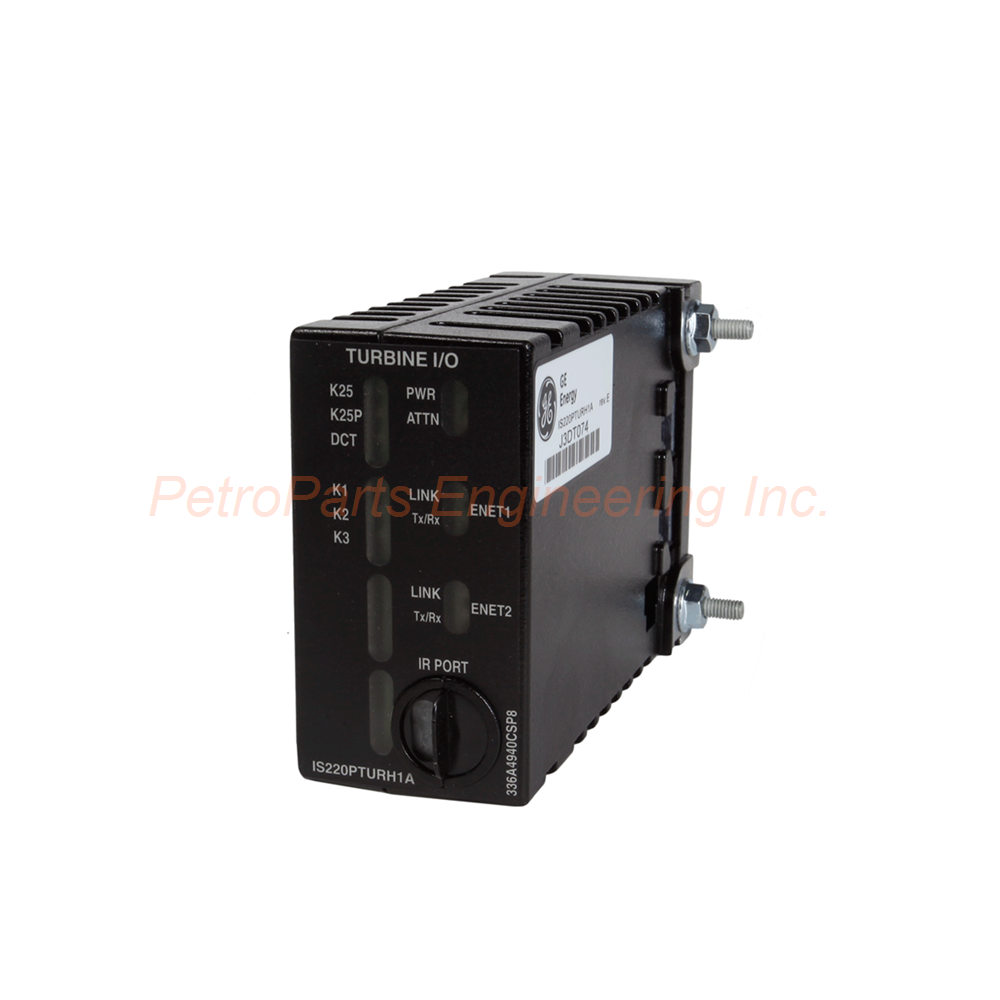
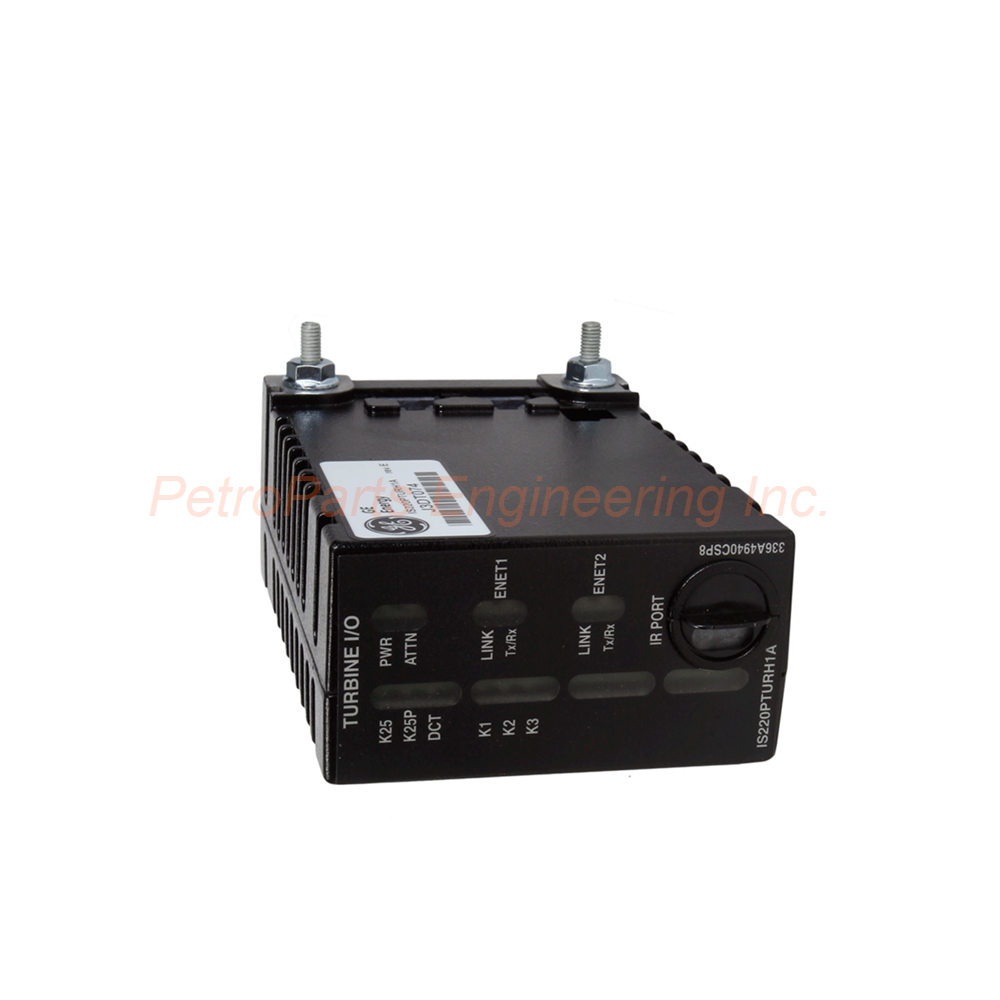
The IS220PPDAH1A is a discontinued Mark VIe power distribution feedback I/O pack. It monitors up to 6 PDM boards and provides redundant Ethernet to the controller.
 Customer Reviews
UBEST Automation – Trusted Global Automation Parts Supplier
We offer a wide range of in-stock industrial automation spare parts. All products come with a 12-month warranty and a 30-day refund for quality issues.
Product Attributes:
Notice: For real-time prices and inventory, please click the button below to contact us.
Product Overview
The General Electric IS220PPDAH1A is a power distribution system feedback board. It belongs to the Mark VIe series for distributed control systems. This I/O pack receives inputs from up to six power distribution boards. You can use the IS220PPDAH1A for ground fault detection and power bus monitoring. Meanwhile, it offers controllers a second redundant Ethernet interface for improved reliability. Consequently, industrial users trust this pack for turbine and wind applications. However, please note that this product is discontinued by the manufacturer. Therefore, only limited stock remains available.
Technical Specifications
The IS220PPDAH1A delivers comprehensive power distribution feedback. Below are the core technical details.
General Specifications:
Product Type: Power Distribution System Feedback I/O Pack.
Functional Acronym: PPDA.
Series: Mark VIe.
Location: Power Distribution Module (PDM).
Assembly Type: IS220 Standard Module.
Manual: GEH-6721_Vol_II V or GEH-6721L.
I/O Specifications:
Quantity of Analog Inputs: Five.
Feedback Type: System Feedback.
Number of PDM Components Supported: Up to six.
Physical Specifications:
LED Quantity: Eight (for status and diagnostics).
PCB Circuit Coating: Conformal coating.
Ambient Temperature: -30 to 65 degrees C.
Country of Manufacture: United States.
Processor Board Compatibility:
A BPPB processor board sits inside the IS220PPDAH1A.
Meanwhile, the PPDAH1B contains a functionally compatible BPPC processor.
For example, ControlST software V04.07 and later supports both versions.
Functional Description
The IS220PPDAH1A monitors and reports power distribution status efficiently.
Key Functions:
It receives inputs from up to six power distribution boards.
For example, this includes ground fault detection and bulk power supply health.
In addition, it reports power bus voltages and branch circuit statuses.
However, please note that branch circuits do not directly connect to the PPDA pack.
Electronic ID System:
Electronic IDs identify power distribution boards in a plug-and-play design. The IS220PPDAH1A then populates the IONet output with this data. Connected boards subsequently receive accurate feedback for their operations. Therefore, the system maintains reliable communication without manual configuration.
Limitation:
The IS220PPDAH1A cannot take direct protective action. Instead, it sends and reports information only. As a result, corrective action relies on other system components.
Compatible PDM Boards
The IS220PPDAH1A hosts on one of these 28V DC control power distribution boards:
JPDS - Power distribution board.
JPDM - Power distribution module.
JPDG - Power distribution board.
JPDC - 28V DC control power distribution board.
Compatible Feedback Signals:
The JPDB provides feedback signals for the system.
Meanwhile, JPDE and JPDF also supply compatible feedback.
Consequently, the IS220PPDAH1A works seamlessly with these boards.
Signal Routing & Wiring
The IS220PPDAH1A mounts directly on the host PDM board. Accordingly, this physical integration reduces wiring errors.
Connection Method:
50-pin ribbon cable jumpers (wired pin to pin 1) connect other boards.
Each connected board contributes one feedback group to the PPDA.
Up to five prior boards can connect through this daisy chain.
For example, connectors P1 and P2 on each board link the entire chain.
Feedback Groups (reading from right to left on JPDS):
Signal Group A: JPDS provides local comments.
Signal Group B: JPDF delivers feedback.
Signal Group C: JPDB contributes feedback.
Signal Group D: An additional JPDF board uses this group.
Signal Group E: Another board may use this signal group.
JPDM: This board uses two feedback groups because it has many feedback lines.
Diagnostics
The IS220PPDAH1A performs extensive self-testing automatically. For instance, the power-up self test checks processor components and Ethernet ports. In addition, it verifies the RAM and flash memory integrity. Meanwhile, the internal power supply monitors itself continuously during operation.
Operational Verification:
The hardware set must match electronic ID data from the terminal board.
Similarly, the acquisition card and processor card must match the expected IDs.
Application code loaded from flash memory is then verified for proper hardware.
For example, precision reference voltages are included in each analog input scan.
The A/D converter circuit health is verified by comparing measured values to expected values.
Diagnostic Information:
All diagnostic data is available through the ToolboxST program. Consequently, technicians can quickly identify and resolve issues.
Configuration Options
The IS220PPDAH1A uses configuration values for specific PDM boards. ToolboxST offers appropriate options for each PDM hardware version.
JPDB Configuration:
Set the nominal voltage magnitude for each AC bus.
Define the magnitude tolerance and neutral voltage correction factor.
Meanwhile, each fused switched branch circuit status can be toggled on or off.
JPDC Configuration:
First, configure P28R, S, and T presence settings.
Then, adjust the 125V bus magnitude and centering tolerance.
For example, you can disable low voltage diagnostics if a power bus is absent.
In addition, switched branch circuit fuse diagnostics can be toggled on or off.
JPDG Configuration:
P28 feedback and diagnostics are recommended to remain ON.
Meanwhile, define the 24/48V bus magnitude and centering tolerance.
Finally, configure the switched branch circuit fuse status.
JPDE Configuration:
Set the 24V bus magnitude and centering tolerance.
In addition, toggle the switched branch circuit fuse status.
JPDF Configuration:
Specify the 125V bus magnitude and centering tolerance.
Then, toggle the diagnostic for switched branch circuit fuse condition.
PPDA Configuration:
The I/O pack must know the diagnostic daisy chain PDM boards.
Therefore, configure this setting properly in ToolboxST.
Installation Guidelines
Install the IS220PPDAH1A directly onto the JPDG, JPDS, JPDM, or JPDC board. Follow these steps carefully.
Step 1 - Mount Terminal Board:
Mount the selected terminal board firmly. Ensure proper alignment before proceeding.
Step 2 - Connect I/O Pack:
Directly connect the JAI terminal board connectors to the IS220PPDAH1A. However, do not force the connection. Instead, align it gently until seated.
Step 3 - Secure Mechanically:
Use threaded screws next to the Ethernet ports for mechanical security. The studs then slip into a mounting bracket for your specific terminal board type. Position the bracket so no right-angle forces apply to the DC-62 pin connector. As a result, this adjustment should only be needed once during the product's service life.
Step 4 - Connect Ethernet:
Connect one or two Ethernet wires next. Either port can be used for the I/O pack. For example, if dual connections are employed, link ENET1 to the R controller network.
Step 5 - Apply Power:
Connect the pack's connector to a power source. The IS220PPDAH1A includes a soft-start feature that limits current inrush. Therefore, it is not essential to unplug the cable before connecting.
Step 6 - Configure:
Use ToolboxST software for configuration as needed. Meanwhile, consult the manual for advanced settings.
Step 7 - Connect Ribbon Cables:
Finally, connect ribbon cables from connector P2 on the host board. These cables link to additional core boards supplying data to the IS220PPDAH1A.
Critical Warning
When using the IS220PPDAH1A with 240 VAC applications, follow this warning carefully. Do NOT cross-connect with DC voltages. Consequently, the peak voltage will exceed the MOV rating. This action will cause a permanent failure. In addition, most AC supplies must operate on a grounded neutral. Therefore, verify your system grounding before installation.
What is in the Box
Please inspect all items upon delivery.
General Electric IS220PPDAH1A power distribution feedback I/O pack.
Anti-static protective bag.
Mounting bracket (specific to your terminal board type).
Frequently Asked Questions (FAQ)
1. Is the IS220PPDAH1A still available from GE?
No. This product is discontinued by the manufacturer. However, we offer remaining stock while available. Consequently, no future production is expected.
2. What is the difference between IS220PPDAH1A and IS220PPDAH1B?
The H1A version contains a BPPB processor board. Meanwhile, the H1B version contains a BPPC processor board. However, the IS220PPDAH1A is not field upgradeable to H1B.
3. How many feedback signals can this board receive?
The IS220PPDAH1A can receive inputs from up to six power distribution boards. For example, each board contributes one feedback group. Meanwhile, JPDM uses two groups because it has more feedback lines.
4. Does this board require separate configuration software?
Yes. You must use ToolboxST software (V04.07 or later) to configure the IS220PPDAH1A. Therefore, ensure this software is available before installation.
5. What is the purpose of the conformal coating?
The conformal coating protects the IS220PPDAH1A circuit board from moisture and dust. In addition, it resists chemical contamination. Consequently, this extends reliability in harsh turbine environments.