
Schneider 140NOE21100 Ethernet Module | Quantum 10BASE-T TCP/IP MBUS
Introduction:
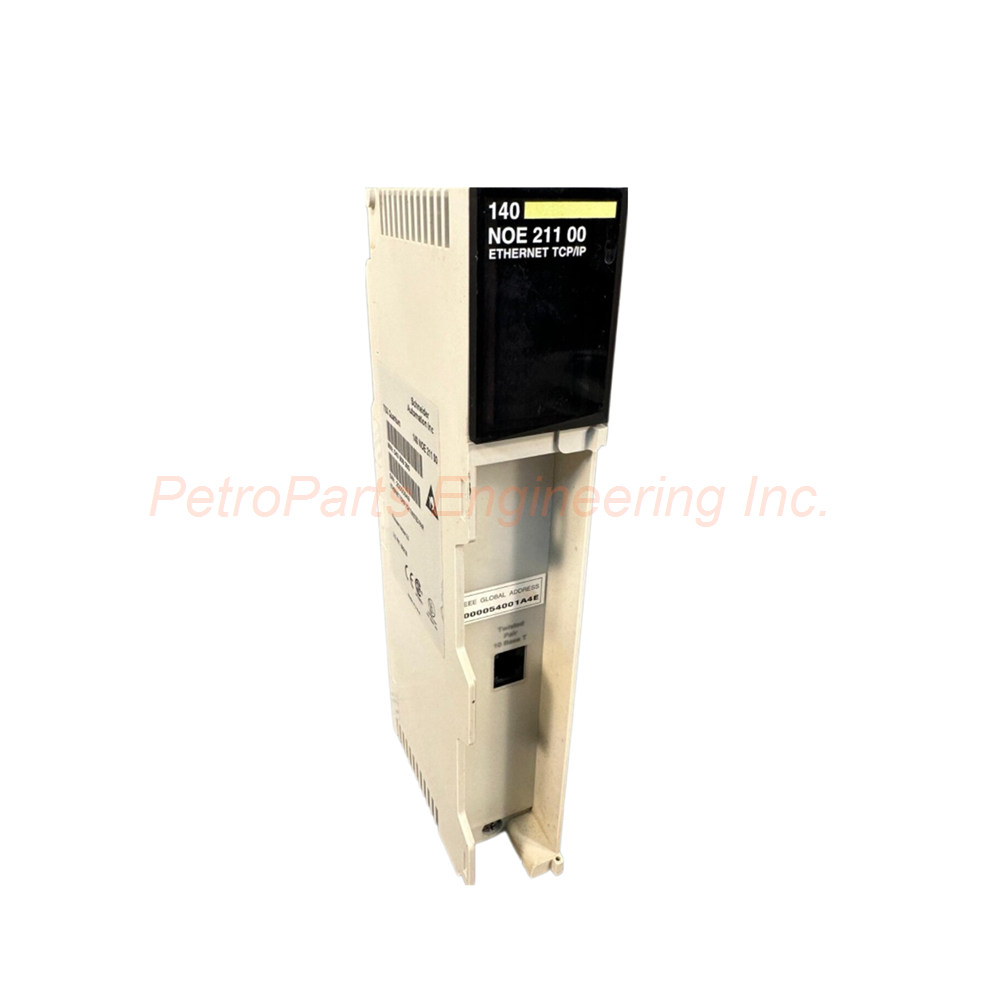
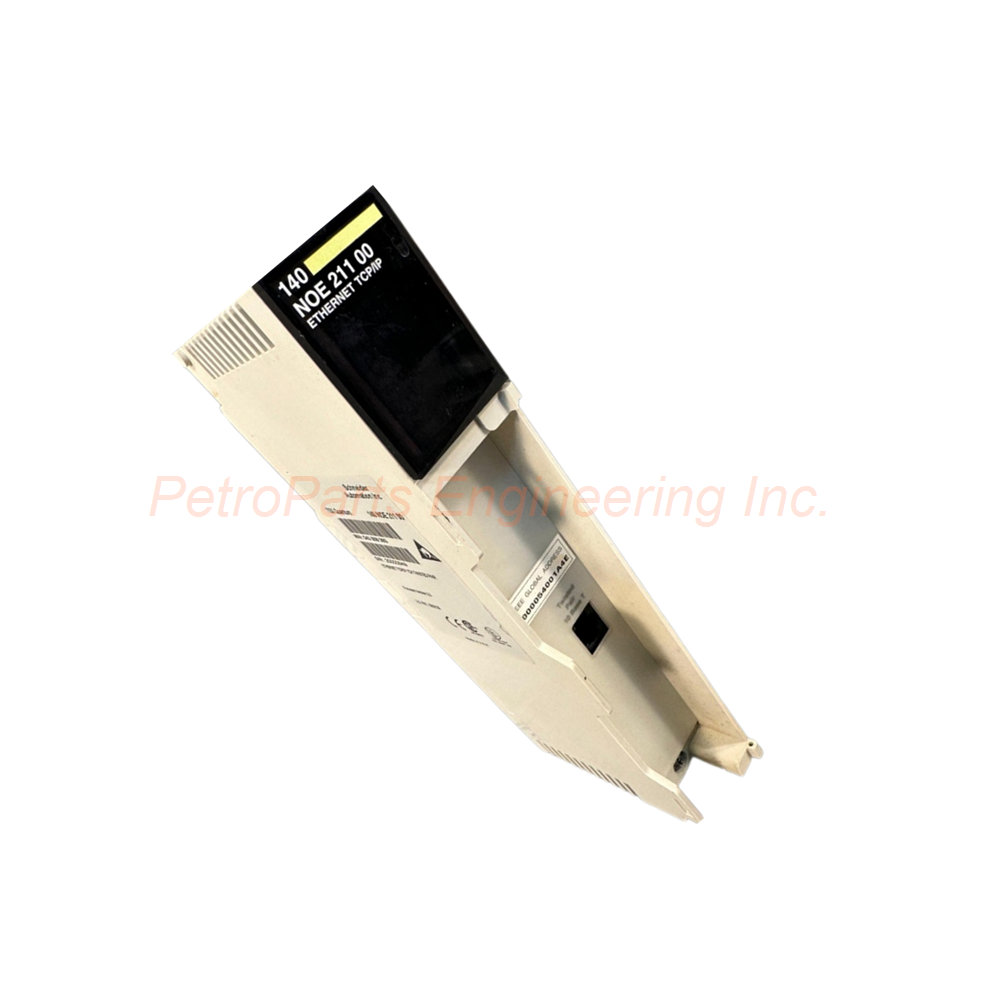
Schneider Electric 140NOE21100 Ethernet communication module. 10BASE-T TCP/IP with Modbus. Twisted pair connection for Quantum PLCs.
 Customer Reviews
UBEST Automation – Trusted Global Automation Parts Supplier
We offer a wide range of in-stock industrial automation spare parts. All products come with a 12-month warranty and a 30-day refund for quality issues.
Product Attributes:
Notice: For real-time prices and inventory, please click the button below to contact us.
Product Overview
The Schneider Electric 140NOE21100 connects your Modicon Quantum PLC to Ethernet networks. This module uses 10BASE-T twisted pair cabling for reliable communication. It supports TCP/IP protocols and Modbus messaging (MBUS). The 140NOE21100 enables data exchange with SCADA systems and other controllers. You can monitor and control your automation process from a central location.
Technical Specifications
Network Interface
Network Type: 10BASE-T Ethernet
Media: Twisted pair copper cabling (Cat3 or Cat5)
Protocols: TCP/IP and Modbus (MBUS)
Connector Type: RJ45 female
The 140NOE21100 operates at 10 Mbps speed. This matches many legacy industrial networks perfectly.
Communication Capabilities
Modbus Messaging: Read/write coils and registers
IP Support: Standard TCP/IP stack
Peer-to-Peer: Direct controller communication
SCADA Connectivity: OPC and proprietary drivers
You can use the Schneider Electric 140NOE21100 for remote programming as well. Download logic changes without stopping production. Upload runtime data for performance analysis.
Electrical Characteristics
Bus Current Draw: 550 mA (typical)
Power Dissipation: 3 W (maximum)
Isolation: 1500 Vrms between network and backplane
The 140NOE21100 draws its power from the Quantum backplane. No external power supply is needed for this module.
Environmental Specifications
Operating Conditions
Temperature (Operation): 0…60°C (32…140°F)
Temperature (Storage): -40…85°C (-40…185°F)
Relative Humidity: 95% non-condensing
Operating Altitude: Up to 5000 m (16404 ft)
Certifications & Standards
Standards: UL 508, CSA C22.2 No 142
Certifications: CE, cUL, FM Class 1 Division 2
EMC Immunity: IEC 801-2, IEC 801-3 compliant
The 140NOE21100 performs reliably in industrial control cabinets. Its FM certification allows installation in hazardous locations.
LED Status Indicators
The Schneider Electric 140NOE21100 includes several diagnostic LEDs:
ACT LED (green): Module active and communicating
COL LED (yellow): Collision detected on network
LNK LED (green): Good Ethernet link established
STS LED (red/green): Module status and diagnostics
RX/TX LEDs (yellow): Receive and transmit activity
These LEDs help you troubleshoot network problems quickly. A steady LNK LED confirms proper cable connection.
Installation Guidelines
Follow these steps to install the 140NOE21100 communication module:
Turn off main power to the Quantum rack completely.
Insert the 140NOE21100 into any available slot in the chassis.
Secure the module with top and bottom retaining screws.
Connect a Cat5 twisted pair cable to the RJ45 port.
Assign a valid IP address using Unity Pro or Concept software.
Configure subnet mask and gateway settings as needed.
Apply power and verify the LNK LED lights up.
Do not exceed 100 meters cable length for 10BASE-T connections. Use shielded twisted pair cable in noisy environments. Keep Ethernet cables away from high-power motor leads.
Network Configuration Tips
The Schneider Electric 140NOE21100 requires proper IP setup before use:
Default IP address: Check module label (often 0.0.0.0)
Use BOOTP or DHCP for automatic address assignment
Or set a static IP via the configuration software
Subnet mask must match your network segment
Gateway only needed for cross-subnet communication
You can ping the 140NOE21100 from a PC to test connectivity. A successful ping confirms basic network operation.
Packaging List
1 x Schneider Electric 140NOE21100 Ethernet module
1 x protective dust cover for RJ45 port
1 x module identification label sheet
Common FAQs
Q1: Can the 140NOE21100 support multiple Modbus connections?
A1: Yes, the 140NOE21100 handles up to 64 simultaneous Modbus connections. This includes both clients and servers.
Q2: Does the 140NOE21100 work with 100BASE-T networks?
A2: No, the Schneider Electric 140NOE21100 supports 10BASE-T only. Use model 140NOE77101 for 100BASE-T support.
Q3: How do I reset the 140NOE21100 to factory defaults?
A3: Press and hold the reset button on the 140NOE21100 for 10 seconds. This clears all stored IP settings.
Q4: What causes the COL LED to flash on the 140NOE21100?
A4: A flashing COL LED means network collisions occur. Check your network for excessive traffic or bad cables.
Q5: Can the 140NOE21100 send emails for alarm notifications?
A5: No, the 140NOE21100 does not support email directly. Use a higher-end module like 140NOE77111 for email features.
Welcome to learn about our business. We are a leading global provider of automation equipment and will provide you with complete and cost-effective product solutions. You are welcome to choose us, and our services will make you a long-term partner like our other customers.
Now please let us know your needs and suggestions.
About Ubest
Ubest Automation is a leading global provider of automation products, with deep partnerships with major automation manufacturers to provide customers with customized business solutions, cost-effective products, and comprehensive services.
Product Center
Contact Us
Phone:+86 180 3000 5825
Address:Room 7A, No. 59 Hubin North Road, Siming District Xiamen City China
Email: [email protected]
Contact: Klaus
Industry Links
© 2026, Ubest Automation Limited All Rights Reserved. sitemap