
Mitsubishi GT2712-STBD 12.1 Inch HMI 800×600 Touchscreen

Introduction:
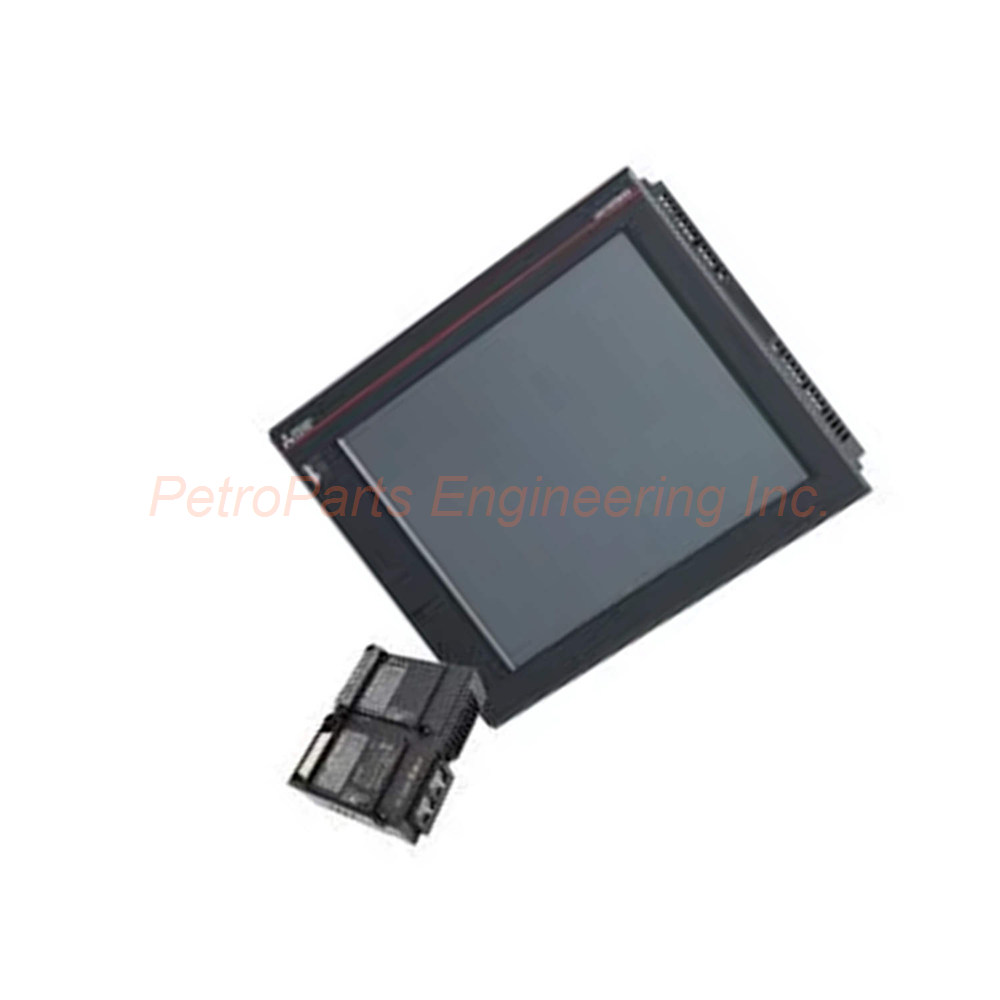
Mitsubishi GT2712-STBD HMI terminal with 12.1" color display. 65,536 colors, 128MB RAM, Ethernet, and SD card support.
 Customer Reviews
UBEST Automation – Trusted Global Automation Parts Supplier
We offer a wide range of in-stock industrial automation spare parts. All products come with a 12-month warranty and a 30-day refund for quality issues.
Product Attributes:
Notice: For real-time prices and inventory, please click the button below to contact us.
Mitsubishi GT2712-STBD HMI Terminal Overview
The Mitsubishi GT2712-STBD is a human-machine interface terminal from the GOT2000 series. It enhances operator control with its large 12.1-inch TFT LCD display. The screen resolution reaches 800×600 pixels for clear visualization. This unit uses a durable analog resistive touchscreen design. In fact, the touchscreen supports over one million touches for long service life. Consequently, the Mitsubishi GT2712-STBD provides reliable interaction across many applications.
Technical Specifications
The Mitsubishi GT2712-STBD delivers impressive display performance. Screen type is TFT LCD measuring 12.1 inches diagonally. Resolution is 800×600 pixels for sharp images and text. Color support reaches 65,536 colors for vibrant graphics. Brightness offers 32 adjustable levels for different lighting conditions. Touchscreen technology uses analog resistive with over 1 million touches durability.
Now consider the memory and processing capabilities. The Mitsubishi GT2712-STBD includes 57 MB of ROM for firmware and applications. RAM capacity is 128 MB for runtime data and screen operations. This memory configuration supports complex HMI projects comfortably. As a result, you can run multiple screens and data logging tasks.
The Mitsubishi GT2712-STBD offers extensive communication interfaces. These include RS-232, RS-422/485, USB, Ethernet, and SD card ports. Ethernet uses an RJ45 connector with Auto MDI/MDI-X support. SD card capacity reaches 32 GB maximum for data storage and project transfer. Power requirements are 24 V DC with +25% to -20% variation. Maximum power consumption is 45 watts for energy efficient operation.
Environmental & Electrical Specifications
The Mitsubishi GT2712-STBD operates reliably in industrial environments. Backlight type is LED with a 60,000 hour lifespan. Noise immunity rating is 500 Vp-p with a 1 µs pulse. Withstand voltage reaches 350 V AC for electrical safety. Operating temperature range spans 0°C to 50°C. The unit fits standard control panel environments. Its rugged construction handles typical factory floor conditions.
Key Features & Benefits
Large 12.1 inch display – The Mitsubishi GT2712-STBD provides excellent visibility from a distance.
High durability touchscreen – Rated for over one million touches in high-traffic operations.
Multiple communication ports – RS-232, RS-422/485, USB, and Ethernet on one unit.
Ample memory capacity – 57 MB ROM and 128 MB RAM for complex applications.
LED backlight technology – 60,000 hour lifespan reduces maintenance frequency.
SD card expandability – Supports up to 32 GB for data logging and project backup.
Installation Guidelines
Follow these steps to install the Mitsubishi GT2712-STBD correctly. First, cut a panel opening to the specified dimensions from the manual. Second, insert the unit through the panel cutout from the front. Third, attach the mounting brackets evenly on all four sides. Fourth, tighten the brackets gradually to avoid warping the bezel. Fifth, connect 24V DC power to the designated terminals with correct polarity. Finally, ground the unit properly to reduce electrical noise interference.
Do not install the Mitsubishi GT2712-STBD in direct sunlight. Avoid locations with excessive vibration or moisture. Leave adequate space behind the unit for cables and airflow. Use shielded cables for all communication connections.
Package Contents
Your shipment includes the following items:
1 x Mitsubishi GT2712-STBD HMI terminal unit
1 x Installation guide with mounting dimensions
4 x Mounting brackets with screws for panel installation
1 x Power connector for 24V DC wiring
1 x Communication connector for RS-422/485 port
No programming software or communication cables are included. Therefore, you must order GT Works3 software separately. No SD card is included with the Mitsubishi GT2712-STBD.
Frequently Asked Questions (FAQ)
1. What software is required to program the GT2712-STBD?
The Mitsubishi GT2712-STBD requires GT Works3 software for project creation and transfer. This software is sold separately from the HMI unit.
2. Can I connect this HMI to a Siemens PLC?
Yes. The Mitsubishi GT2712-STBD supports multiple PLC protocols through its Ethernet port. However, you must configure the driver in GT Works3 software.
3. Is the SD card slot accessible from the front?
No. The SD card slot is located on the side or rear of the Mitsubishi GT2712-STBD. You may need to open the panel door for access.
4. What is the difference between GT2712 and GT2710 models?
The GT2712-STBD uses a 12.1 inch display with 800×600 resolution. The GT2710 typically uses a 10.4 inch display with different dimensions.
5. Does this HMI support remote web monitoring?
Yes. The Mitsubishi GT2712-STBD supports web server functions via Ethernet. You can monitor screens remotely using a standard web browser.
Why Choose the Mitsubishi GT2712-STBD?
This GOT2000 series HMI terminal delivers exceptional value for industrial applications. For starters, the Mitsubishi GT2712-STBD offers a large 12.1 inch display with 65,536 colors. Its analog resistive touchscreen withstands over one million touches. The 60,000 hour LED backlight minimizes long-term maintenance costs. Furthermore, multiple communication ports simplify connections to PLCs and other devices. The Mitsubishi GT2712-STBD includes both RS-232 and RS-422/485 for legacy equipment. Ethernet and USB ports provide modern connectivity options. Most importantly, the 128 MB RAM and 57 MB ROM handle complex HMI projects with ease.
Order the Mitsubishi GT2712-STBD today for your next HMI application. This terminal is perfect for factory automation, machine control, process monitoring, and production line management.