
Yokogawa VI702 Vnet/IP Interface Card 1 Gbps PCI Express x1 CAT5e

Introduction:
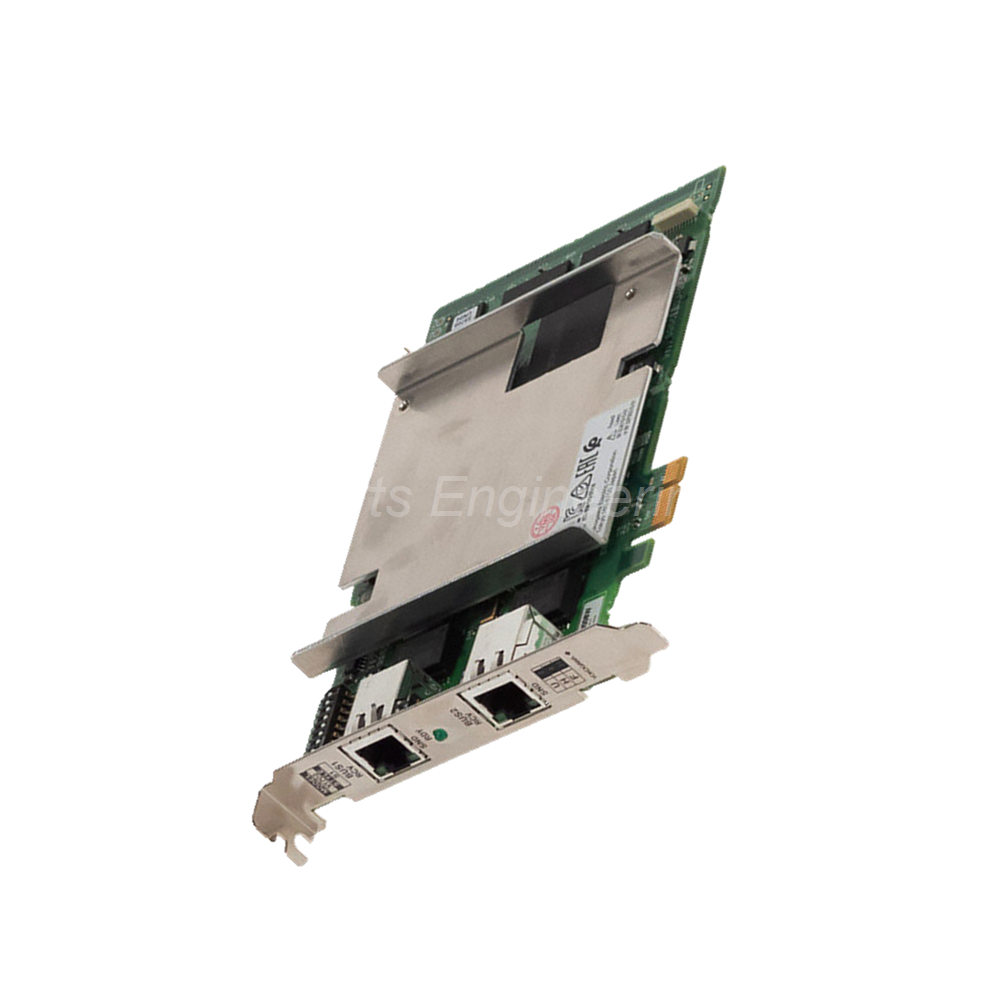
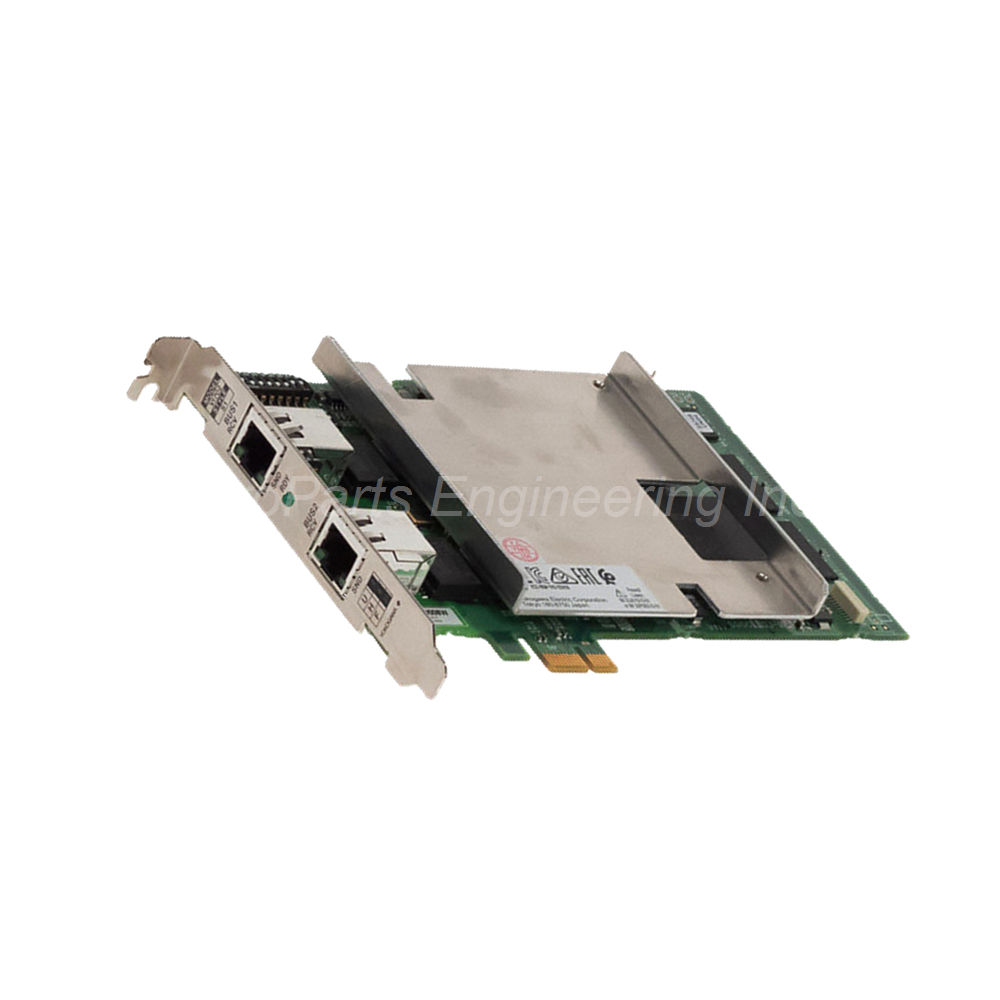
The VI702 is a Vnet/IP interface card from Yokogawa. It provides 1 Gbps full duplex communication between PCI Express and Vnet/IP networks. This card serves as a direct replacement for the VI701 model.
 Customer Reviews
UBEST Automation – Trusted Global Automation Parts Supplier
We offer a wide range of in-stock industrial automation spare parts. All products come with a 12-month warranty and a 30-day refund for quality issues.
Product Attributes:
Notice: For real-time prices and inventory, please click the button below to contact us.
Product Overview
The VI702 belongs to the Vnet/IP Series product line. Its product type is a Vnet/IP Interface Card. The product classification is Other Series. The current price for this item is ¥3,280 RMB, and the product gross weight is 0.18 kg.
Yokogawa designed this interface card to connect PCI Express systems with Vnet/IP control networks. The VI702 serves as a direct replacement for the older VI701 Vnet/IP Interface Card. This card provides seamless communication at 1 Gbps Full Duplex speed. Therefore, users seeking to upgrade or replace aging VI701 units will find this model ideal.
Technical Specifications
Function
The primary function of the VI702 is to provide an interface between PCI Express and Vnet/IP networks. This bridge allows standard computer systems to communicate with Yokogawa’s industrial control network. Consequently, engineers can use commercial PCs for monitoring and configuration tasks.
Communication Speed
The communication speed reaches 1 Gbps Full Duplex . This high bandwidth supports real-time data exchange between controllers and workstations. The full duplex operation allows simultaneous transmit and receive without collision.
Connection Specifications
The VI702 uses CAT5e (Enhanced Category 5 cable) with UTP construction. The transmission complies with 1000BASE-T Ethernet standards. The connector type is a standard RJ45 connector . The maximum cable distance between the VI702 and a Layer 2 switch is 100 meters . Therefore, this card integrates easily into existing Ethernet infrastructures.
PCI Express Specifications
The card complies with PCI Express CEM Specification 1.0a x1 with 2.5 GT/s signaling . You can install this card in any PCI Express slot from x1 to x16 . However, please note that the VI702 cannot be installed in a standard PCI slot . The PCI Express interface ensures high-speed data transfer with low latency.
Voltage and Power
The power supply voltage is 3.3 V ± 9% . This low voltage operation reduces power consumption and heat generation. The maximum current consumption reaches 2.5 A . Consequently, verify that your system’s PCI Express slot can supply adequate power.
LED Indicators
The card features three LED indicators for status monitoring. The RDY lamp lights when the card diagnoses itself as normal , confirming proper hardware operation. The RCV lamp lights when the card detects signals on a control bus , indicating incoming network traffic. The SND lamp lights when the card sends signals to a control bus , showing active transmissions. These LEDs provide quick visual feedback for troubleshooting.
Ethernet Connector
The Ethernet connector is a standard RJ45 type. It connects a CAT5e (Enhanced Category 5 cable) for network communication. Use high-quality shielded or unshielded twisted pair cable for reliable operation.
Weight
The VI702 weighs approximately 0.18 kg . This lightweight design minimizes stress on the host computer’s PCI Express slot and motherboard.
Installation Guide
Follow these steps to install your VI702 correctly.
Power Down the Computer: Shut down and unplug the host computer. This prevents electrical damage during installation.
Open the Computer Case: Remove the side panel to access the motherboard. Locate an available PCI Express slot (x1 to x16).
Remove the Slot Cover: Unscrew and remove the metal cover for the chosen PCI Express slot. Keep the screw for securing the card.
Insert the VI702: Align the VI702 card’s edge connector with the PCI Express slot. Press firmly and evenly until fully seated.
Secure the Card: Replace the screw to fasten the card bracket to the computer chassis. This prevents movement and ensures reliable connections.
Close the Computer Case: Replace the side panel and secure it with screws. Do not plug in the power cord yet.
Connect the Network Cable: Plug a CAT5e cable into the RJ45 connector on the VI702 . Connect the other end to a Layer 2 switch within 100 meters .
Apply Power: Plug in and power on the computer. Watch for the RDY lamp to light up, indicating normal card operation.
Install Drivers: Load the Yokogawa provided drivers for the VI702 . Follow the software installation instructions carefully.
Verify Communication: Check that the RCV and SND lamps flash during network activity. Confirm connectivity with your Vnet/IP network.
Package List
1 x VI702 Vnet/IP Interface Card
1 x Low-profile mounting bracket (if applicable)
1 x Driver software CD (if applicable)
1 x Installation instruction manual
Note: CAT5e network cable is sold separately.
Frequently Asked Questions (FAQ)
1. Is the VI702 a direct replacement for the VI701?
Yes, Yokogawa designed the VI702 specifically as a replacement for the VI701 Vnet/IP Interface Card. The electrical and functional specifications match for easy field replacement.
2. Can I install this card in a standard PCI slot?
No, the VI702 requires a PCI Express slot (x1 to x16) . It cannot be installed in a standard PCI slot. Check your motherboard’s slot type before ordering.
3. What is the maximum cable length for this interface card?
The maximum distance between the VI702 and a Layer 2 switch is 100 meters . For longer runs, use additional switches or fiber optic media converters.
4. What do the three LED indicators mean?
The RDY lamp lights when the card passes self-diagnosis. The RCV lamp lights when receiving signals from the control bus. The SND lamp lights when transmitting signals to the control bus.
5. What type of network cable does the VI702 require?
The VI702 requires CAT5e (Enhanced Category 5) UTP cable with standard RJ45 connectors. The transmission complies with 1000BASE-T Ethernet standards.
Welcome to learn about our business. We are a leading global provider of automation equipment and will provide you with complete and cost-effective product solutions. You are welcome to choose us, and our services will make you a long-term partner like our other customers.
Now please let us know your needs and suggestions.
About Ubest
Ubest Automation is a leading global provider of automation products, with deep partnerships with major automation manufacturers to provide customers with customized business solutions, cost-effective products, and comprehensive services.
Product Center
Contact Us
Phone:+86 180 3000 5825
Address:Room 7A, No. 59 Hubin North Road, Siming District Xiamen City China
Email: [email protected]
Contact: Klaus
Industry Links
© 2026, Ubest Automation Limited All Rights Reserved. sitemap